Friday, June 18, 2021

New Subscription Billing Notif Could Be A Phishing Attack


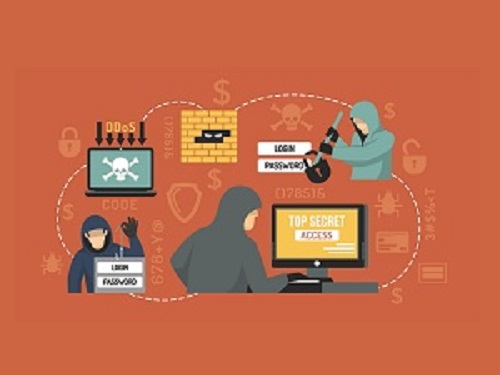
There's a dangerous new phishing attack you should be aware of and alert your employees to right away. A growing trend in the hacking world is to use mixed media, including phone calls with live actors at the other end, posing as "customer support" representatives, and even recorded messages including instructions and attached to emails. This is all done in a bid to lure unsuspecting recipients into downloading malicious files.

In this case, the attack is structured as follows:

A potential victim will get an email informing them that they've been subscribed to a fee-based service. The email instructs them to call a given phone number and speak with a representative who will be happy to help them.

If the recipient calls, the agent, who of course, is part of the hacker's organization, will guide the caller to a website where they can download a file the faux agent claims is necessary to finalize the cancellation. Naturally, the file does no such thing, and is instead, a piece of malware of the attacker's choosing.

The payload can vary and be just about anything. The currently identified campaign is using BazaLoader, which creates a persistent backdoor on Windows-based machines to give the attackers easy access to that device which they can exploit in a variety of ways later on.


Call Now


While this may seem like a convoluted path for the attackers to take, it can be devastatingly effective. It has the key advantage, from the attackers' point of view, of being extremely difficult to detect and prevent. Most detection routines are file based, and since this type of email doesn't contain an attachment of any kind, it poses tremendous challenges for IT security professionals.

As ever, the best defense and cybersecurity method is education and mindfulness, so be sure your staff is aware.


Call SpartanTec, Inc. now and let us help protect your business against phishing attacks and other online threats with our managed IT services.


SpartanTec, Inc.
Myrtle Beach, SC 29577
(843) 420-9760
https://www.spartantec.com/

Serving: Myrtle BeachNorth Myrtle BeachColumbiaWilmingtonFayettevilleFlorence

Tuesday, June 15, 2021

Do You Know If Your Employees Are Putting Your Business At Risk Of Cyber-Attack?


Your employees are instrumental when it comes to protecting your business from cybersecurity threats. But they can also become targets for hackers and cybercriminals, and they might not know it. Here are four ways your employees might be endangering your business and themselves — and what you can do about it.

1. They’re Not Practicing Safe And Secure Web Browsing. One of the most basic rules of the Internet is to not click on anything that looks suspicious. These days, however, it can be harder to tell what’s safe and what isn’t.

A good rule of thumb is to avoid websites that do not have “https” in front of their web address. The “s” tells you it’s secure – https stands for Hypertext Transfer Protocol Secure. If all you see is “http” – no “s” – then you should not trust putting your data on that website, as you don’t know where your data might end up.

Another way to practice safe web browsing is to avoid clicking on ads or by using an ad blocker, such as uBlock Origin (a popular ad blocker for Google Chrome and Mozilla Firefox). Hackers can use ad networks to install malware on a user’s computer and network.

2. They’re Not Using Strong Passwords. This is one of the worst IT security habits out there. It’s too easy for employees to use simple passwords or to reuse the same password over and over again or to use one password for everything. Or, worse yet, all of the above.

Cybercriminals love it when people get lazy with their passwords. If you use the same password over and over, and that password is stolen in a data breach (unbeknownst to you), it becomes super easy for cybercriminals to access virtually any app or account tied to that password. No hacking needed!


Call Now


To avoid this, your employees must use strong passwords, change passwords every 60 to 90 days, and not reuse old passwords as part of your email protection and cybersecurity. It might sound tedious, especially if they rely on multiple passwords, but when it comes to the IT security of your business, it’s worth it. One more thing: the “tedious” argument really doesn’t hold much water either, thanks to password managers like 1Password and LastPass that make it easy to create new passwords and manage them across all apps and accounts.

3. They’re Not Using Secure Connections. This is especially relevant for remote workers, but it’s something every employee should be aware of. You can find WiFi virtually everywhere, and it makes connecting to the Internet very easy. A little too easy. When you can connect to an unverified network at the click of a button, it should raise eyebrows.

And unless your employee is using company-issued hardware, you have no idea what their endpoint security situation is. It’s one risk after another, and it’s all unnecessary. The best policy is to prohibit employees from connecting to unsecured networks (like public WiFi) with company property.

Instead, they should stick to secure networks that then connect via VPN. This is on top of the endpoint security that should be installed on every device that connects to your company’s network: malware protection, antivirus, anti-spyware, anti-ransomware, firewalls, you name it! You want to put up as many gates between your business interests and the outside digital world as you can.

4. They’re Not Aware Of Current Threats. How educated is your team about today’s cyber security threats? If you don’t know, or you know the answer isn’t a good one, it’s time for a change. One of the biggest threats to your business is a workforce that doesn’t know what a phishing e-mail looks like or doesn’t know who to call when something goes wrong on the IT side of things.

If an employee opens an e-mail they shouldn’t or clicks a “bad” link, it can compromise your entire business. You could end up the victim of data breach. Or a hacker might decide to hold your data hostage until you pay up. This happens every day to businesses around the world – and hackers are relentless. They will use your own employees against you, if given the chance.

Your best move is to get your team trained up and educated about current threats facing your business. Working with a managed service provider or partnering with an IT services Myrtle Beach firm is an excellent way to accomplish this and to avoid everything we’ve talked about in this article. Education is a powerful tool and, when used right, it can protect your business and your employees.


Call SpartanTec, Inc. now for more information about our managed IT services and how our team can help improve your company's cybersecurity.


SpartanTec, Inc.
Myrtle Beach, SC 29577
(843) 420-9760
https://www.spartantec.com/

Serving: Myrtle BeachNorth Myrtle BeachColumbiaWilmingtonFayettevilleFlorence

Monday, June 14, 2021

Malware Called Phorpiex Delivers Ransomware With Old School Tactics


If you're involved with internet security on any level, then you're probably already familiar with the name Phorpiex. The malicious botnet has been around for years, and the people who control it have taken steps to keep it relevant.

They're finding new ways to deliver ransomware and other online threats, and sometimes, by moving in the other direction and going decidedly Old School. Recently, this has included the use of worm-like functionality to replicate itself far and wide.

Of interest, Phorpiex itself came under attack back in the early part of 2020, when an unknown attacker hijacked it on the back end and started uninstalling the modules that allowed the botnet to spam copies of its malicious payload.

According to the security firm Check Point, one of the more common payloads associated with Phorpiex is the Avaddon ransomware, which is widely used because it's a "ransomware as a service," which means it gets rented out to other hackers, allowing it to infect an even wider range of targets.


Call Now


As Check Point analysts note:

"Phorpiex is one of the oldest and most persistent botnets, and has been used by its creators for many years to distribute other malware payloads such as GandCrab and Avaddon ransomware, or for sextortion scams."

In recent months, the botnet has found its way onto Microsoft's radar. Its controllers have tweaked it so that it modifies Windows registry keys in order to disable antivirus and firewall popups and override browser settings, which makes it more difficult to detect and stop.

Enterprise clients have the ability to circumvent these shenanigans by enabling Tamper Protection in Microsoft Defender for Endpoint, but home users aren't so lucky including those who don't pay much attention to cybersecurity.

Based on Check Point's statistics, Phorpiex is currently the largest botnet in existence. Since law enforcement recently defanged the dreaded Emotet botnet, and researchers have tracked its activities across more than 160 different countries, giving it a truly global reach. Stay alert for this one. It's a legitimate threat that can hit you no matter where you are, or where you do business.


Call SpartanTec, Inc. now and let our team help develop effective cybersecurity strategies and managed IT services Myrtle Beach to keep your company safe from malware, ransomware, and other online threats.


SpartanTec, Inc.
Myrtle Beach, SC 29577
(843) 420-9760
https://www.spartantec.com/

Serving: Myrtle BeachNorth Myrtle BeachColumbiaWilmingtonFayettevilleFlorence

Sunday, June 13, 2021

Massive Data Leak Affects More Than 100M Android Users


If you own an Android smart device, be advised there has been a data leak. Security researchers at Check Point have recently discovered a massive data leak that left an assortment of personal data for more than 100 million Android users exposed.

The data was found in unprotected databases used by a total of 23 different popular apps, some of which boast download counts of more than ten million.

Unfortunately, the recent discovery underscores the fact that many app developers aren't following even the most basic security practices designed to restrict access to the app's databases.

According to the research team responsible for the discovery, the exposed data includes physical location, gender, stored passwords, stored payment details and photos associated with the apps in question, phone numbers, user names and real names, email addresses, dates of birth, chat messages, and more.


Call Now


Two of the most egregious examples the researchers found were the app called iFax, and another called Screen Recorder. In the case of iFax, the Android apps stored the user's cloud storage keys and their database contained copies of all fax transmissions from its more than half a million users. In the case of Screen Recorder, which boasts more than ten million installations, the researchers found the cloud storage keys that give access to all of each user's' screenshots, which could contain a whole host of sensitive and personal information.

Unfortunately, this is not a new phenomenon and that's why you need to pay attention to data protection. What's disheartening about the recent discovery though, is how many examples Check Point found during the course of their research. It seems that a dismaying number of app developers are sacrificing security basics in the name of speed and convenience, and the end users of the apps they create wind up paying the price.

All that to say, be careful what you download. An app's popularity is no guarantee that it's actually safe to use. Call SpartanTec, Inc. now and let our team of IT experts help keep your company data safe.

SpartanTec, Inc.
Myrtle Beach, SC 29577
(843) 420-9760
https://www.spartantec.com/

Serving: Myrtle BeachNorth Myrtle BeachColumbiaWilmingtonFayettevilleFlorence

Thursday, June 10, 2021

How to Protect Your Computer from Ransomware and Other Malware


What if you didn’t have to worry about ransomware or any other viruses? Unfortunately, cybercrime has become a major problem for the Chief Technology Officer (CTO) who is tasked with protecting the company’s computer systems, as well as the CEO who has to deal with the consequences of an attack. Large corporations such as Merck, Mondelez, Sony and DLA Piper have been infected by malware. Hospitals and organizations around the world have not been spared. It has become a global problem.

There are a number of virus protection programs that attempt to block malware from entering the system, but none of the solutions work all the time.  A good solution is to be more careful with email, but it is hard to control everyone in the organization. An extreme solution is to take the computer off the Internet, but this prevents access to people who need the data.


Call Now


What if we could prevent any virus from changing the data in our hard drives? Well, now there is a new solution that provides the malware protection we all need. HDWrite1X technology was initially developed for the Department of Justice (DOJ) to ensure the integrity of digital evidence. An early application was to protect video evidence recorded from IP camera systems.

To understand the new technology, let’s go back to the early 1980s when Sony introduced the Write Once Read Many (WORM) discs.  The WORM disc was the precursor to CD-discs. This optical technology provided archival media but also had the characteristic of only writing once. It meant that any data you placed on the discs could not be changed.  Now there is a new way to do the same thing using a standard hard drive.

The virus protected storage solution uses modified hard drives instead of WORM optical discs. The secret is to add special hardware controls that emulate write-once capability. Unlike optical discs, this emulation technology allows you to turn the write-once function on as required.  The write-once technology prevents data from being changed, yet the storage system looks exactly like a standard hard drive system to all your application programs and operating system.

HDWrite1X Protection

There are two versions of HDWrite1X. The first type, called HDWrite1X-OS protects the operating system by preventing any changes to the master boot records and partition tables.  The second version, called HDWrite1X-HD protects all your static data files. In general, the system can protect data temporally, provide incremental permanent protection, or lockdown a complete disk. It can even provide instant lock-down of data when a cyber-attack is detected.

This type of system provides a much more secure barrier to malware attack than anti-virus tools. The HDWrite1X solution has been tested by Defense Information System Agency (DISA), Department of Justice (DOJ), disk manufacturers, NIST, Raytheon, and others.  Nobody has been able to penetrate it.

How to Protect Your Computer

There are various types of malware. Malware includes viruses, worms, Trojans, bots, and ransomware. Here is how to protect your computer from these threats.

Ransomware Protection

This is a crypto virology type threat that prevents user access to files. Used to extort money.  By using HDWrite1X-OS to protect the operating system and HDWrite1X-HD to protect the data, files such as .doc,  .pdf, .xls, etc. cannot be modified.

Worms and Virus

The worm malware replicates itself so that it can spread to other computers. Virus malware tends to be more complex than the worm. In both situations, the code is replicated and can infect both the operating system as well as other applications. It usually hides within other programs.

By using HDWrite1X-OS to protect the operating system and HDWrite1X-HD to prevent changes to data files, the attack is blocked.

Trojans and Backdoors

A Trojan uses a misleading method to gain access and load malicious software. Even if malware infects your computer system, all the HDWrite1X protected files and disks cannot be modified. Any program that tries to modify data is aborted by the protection system. The backdoor malware bypasses normal authentication and can get into your computer system, but HDWrite1X protection is at the hardware level. This means that you can even remove the hard disk and try to modify data using special equipment. The protections built within the HDWrite1X drive protects the data.

Strategy for Malware Protection

Total protection of the computer system is more than just write-once protected disks. Normal computer operation requires the rewriting of data, so we cannot prevent changes all the time. Database programs constantly change their information as new data is added or old data is modified.  Even the email data that is resident on your server changes data just like the database programs.  How do you handle this?

Backup to HDWrite1X protected drives

By consistently backing up your data to a drive that can’t be modified by malware, you always have a way to recover if you are hacked.  What if you did not do anything else? What if you did not segment your data or prevent people from clicking on contaminated emails? The backups protect your data. You can go back in time to previous generations of backups and find uncontaminated versions that allow you to recover quickly from a malware attack.

Controlled Protection

You can protect your data at various security levels, either temporarily or permanently. You can select protection of a complete disk, or incrementally protect files as they are changing, or you can protect a disk or files temporally.

Complete disk protection is the simplest operating mode. In this mode, you write your data to the HDWrite1X protected disk. When operations are complete, the disk is finalized (write-protected). This is very similar to the way a DVD-R works.

Incremental disk protection protects your data as you process information. In this case, you write data, have it protected (Enforce), then at a later time write more data, have that protected, and continue until you are done. Once the data is enforced it can’t be modified. At some point, the disk either fills up, or you choose to protect the entire disk by finalizing the disk. The disk is now permanently protected from modification or deletion..

Temporary disk protection allows an area of the disk to be temporarily protected against data changes. This is a lock function that sets the files to read-only. It can be unlocked and data can then be changed.

HDWrite1X-OS is configured so that the sensitive operating system boot and partition information is permanently protected. This allows the OS to operate normally but prevents a hacker from damaging these sensitive areas of the disk.  Your systems will remain bootable even after a cyber-attack.

Summary of Malware Protection

Malware is one of the challenges that keep the CTO and CEO from sleeping at night. Many organizations think their data is secure, only to discover a major breach that allows their valuable information to be stolen or lost. The latest write-once technology protects the operating system and the data from being modified thus protecting the computer system from malware attacks. You can also seek out companies that offer managed IT services.


Call SpartanTec, Inc. now and learn how our managed IT services can help protect your business against ransomware, malware, and other types of online threats.


SpartanTec, Inc.
Myrtle Beach, SC 29577
(843) 420-9760
https://www.spartantec.com/

Serving: Myrtle BeachNorth Myrtle BeachColumbiaWilmingtonFayettevilleFlorence

Tuesday, June 8, 2021

Why Is Data Recovery Planning Important During Hurricane Season?


Companies need to start their data recovery planning. The National Hurricane Center revealed that hurricane season runs from June 1 to November 30. Although experts say that 2021 will be a calmer year, businesses are still at risk of facility damages, data loss, downtime, and other disruptions that are caused by natural disasters like hurricanes.

Whether you’re a large company or a small business, having data recovery services is important. Here are three reasons why companies need a data recovery plan not only during hurricane season but throughout the year.

What is a data recovery plan?

It may appear like it’s unnecessary to set a plan in place for unexpected situations. Always remember that all businesses may come across any kind of natural disaster. Fortunately, you can be prepared by taking proactive steps in mitigating the effects of a natural disaster on your business operations.

A data recovery plan involves a set of procedures and tools that are set in place to help your business recover from unexpected disasters. The plan must include having a list of updated contact information so that employees know what they need to do in the wake of a disaster.


Call Now


What is a data recovery plan important?

Stay One Step Ahead

In terms of data protection, it’s important to remain one step ahead. As a company owner or executive, you don’t want to lose your data because of a disaster. The appropriate data recovery and backup methods are essential aspects of a disaster recovery plan. You can rest easy knowing that your company data can be retrieved in case something unexpected happens.

Reduce Downtime

The best possible scenario is not having to use your data recovery plan, but when it comes to natural disasters such as the Atlantic hurricane season, there’s a big possibility that your company may experience downtime. It’s crucial to find ways to reduce your downtime. Having a detailed data recovery plan in place lets you reduce your downtime and hasten the resumption of your business operations.

Prevent Damage To Your Reputation

Clients these days expect to have all-around access to data and online services. Companies set a level of expectations in terms of their offered services. Downtime could affect your business negatively by discouraging your clients from doing business with you once again. You don’t want your clients to be dissatisfied with your service and express it through social media or worse, never do business with you again.

Test Your Data Recovery Plan

During hurricane season, you will have little to no time to determine if your data recovery plan has a flaw or not. You must test and update your strategy regularly and look for potential problems, failures, as well as recovery times. Are you sure that you can restore your company information from your backup? You have to locate your problem points and fix them before disaster strikes.

Do you need help with a data recovery plan for your business? Call SpartanTec, Inc. now and let our team of experts come up with the best solutions for your IT needs.

SpartanTec, Inc.
Myrtle Beach, SC 29577
(843) 420-9760
https://www.spartantec.com/

Serving: Myrtle BeachNorth Myrtle BeachColumbiaWilmingtonFayettevilleFlorence

Saturday, January 2, 2021

Fake Gift Card Balance Checking Sites May Steal Your Money


 Scammers have a new way of ripping people off this year. If you're not mindful of it, it could literally cost you. Gift cards have always been fairly popular, but this year, they seem to be more popular than ever. According to the online fraud prevention company, Bolster, thieves have been hard at work setting up bogus 'gift card balance' checking websites designed to siphon money away from unsuspecting consumers.

Here's' how it works:

You get a gift card for Christmas and put it in a drawer for a few weeks or even months. Eventually, you find it, but by now, you can't remember if you spent some of the money that was on the card. So you're not at all sure how much money is left. You go online and do some searching, which brings up a link to a site promising to give you your gift card balance in just a few clicks.

You surf to the page, enter in your card number and instead of giving you your balance information. (usually you'll get a timeout message, but some are more sophisticated than that), it will send the gift card number to a command and control server so the hackers can steal it. They use it to order goodies for themselves, either to keep or resell.

It's low, but it's an easy scam to pull off, and even relatively unsophisticated criminals can manage it, so expect to see lots of bogus balance checking sites this year.

While Target seems to be the retailer that the scammers are most focused on this year, Bolster has spotted a number of other fake balance checking sites targeting companies like:

  • Bath and Body Works
  • Forever 21
  • Amazon
  • The Google Play Store
  • And HBO

Just be aware that the scam exists, and be mindful of where you go on the web when you check your gift card balances.

Does your company offer gift cards? Could your company be suspect to this kind of fraud? Visit https://www.spartantec.com/darkweb for a dark web scan of your companies credentials.

Digital credentials such as usernames and passwords connect you and your employees to critical business applications, as well as online services. Unfortunately, criminals know this — and that’s why digital credentials are among the most valuable assets found on the Dark Web.

SpartanTec, Inc.
Myrtle Beach, SC 29577
843-418-4792
manageditservicesmyrtlebeach.com

Used with permission from Article Aggregator